
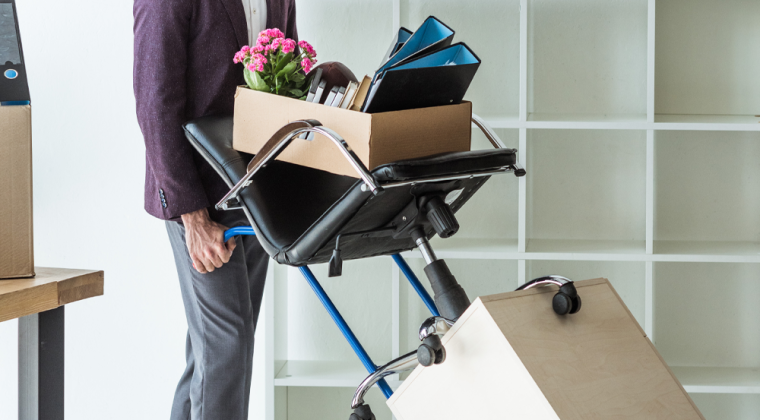
Office Relocations in Melbourne: The Blueprint for Zero Business Downtime
Moving an office sounds simple until you think about everything happening inside it. Employees need to know where they’re going. Computers need disconnecting and reconnecting. Servers need careful handling. Documents need to stay organised. And customers still expect the business to operate normally, while all of this is happening.
That’s what makes an office relocation different from moving house. It’s not about getting desks from one building to another. It’s about moving the workplace while keeping disruption to a minimum. See our Melbourne removalist service page for the other moves we handle.
The goal: move the business without stopping the business.
Quick answer: Zero-downtime office moves come from planning, not luck. Appoint one relocation coordinator, build an inventory and floor plan early, treat IT as its own project separate from furniture, prioritise business-critical systems first, and communicate the move to employees, customers and suppliers well in advance. Test everything before staff return.
Why Office Moves Are More Complicated Than Residential Ones
You can live with a few unpacked boxes at home for a couple of days. An office can’t. Every hour employees can’t work potentially affects productivity, customer service, sales, deadlines and revenue.
A business relocation needs to be treated as a project, not a moving day, people, equipment, technology, documents and deadlines are all involved, and the more employees and systems you have, the more planning matters.
What Does a Successful Office Move Look Like?
Not the one where the truck arrives earliest, the one where employees arrive at the new location and can start working with minimal disruption:
Old office closes → equipment and furniture move → new office is prepared → systems are connected → employees return to work.
Before moving day, you should already know what’s being moved, replaced or discarded, what needs specialist handling, who owns IT, where furniture goes, when employees return, and how customers will be informed.
Step 1: Appoint a Relocation Coordinator
Don’t let everyone manage their own piece of the move. One person, office manager, operations lead, IT manager or business owner, should own a central checklist covering people, equipment, IT, furniture, documents, building access and schedule. One person with full visibility prevents small problems becoming major delays.
Step 2: Start Planning Early
Waiting until the final week is the most common mistake. Work backwards from moving day: confirm premises, team and IT/furniture audits 6–8 weeks out; finalise floor plans and notify suppliers 3–4 weeks out; finish packing, labelling and data backups 1–2 weeks out; then load, transport and test critical systems on the day itself, with a final check of internet, phones and printers before employees return.
Step 3: Build an Inventory Before You Pack Anything
List desks, chairs, cabinets, computers, servers, network gear, meeting-room equipment and documents before boxes go anywhere. This tells you what you’re moving, what you’re leaving, and what you no longer need, moving is a good opportunity to stop paying to transport equipment the business has outgrown.
Step 4: Plan the New Layout Before Moving Day
Create a floor plan and assign locations for desks, meeting rooms, reception, storage and IT, then label each zone (“Area A, Sales,” “IT Room,” etc.). This turns “where does this go?” into a simple, predetermined answer for the removalist team on the day.
Step 5: Treat IT Equipment Differently From Furniture
A damaged desk can be replaced. Damaged infrastructure is a much bigger problem. Establish clear ownership for shutdown, disconnection, labelling, packing, transport, reconnection and testing between your removalist and your IT provider.
Pack computers and technology with proper protection, anti-static materials where relevant, monitor protection, cable management and clearly labelled boxes (“Reception PC, Monitor + Power + Dock” saves real time later). If you need packing help for the move, our Movers And Packers service can be built into the plan.
Servers and networking equipment need extra care: back up critical data, document the existing setup, photograph connections, label cables, and agree a restoration priority with your IT provider before anything is disconnected.
Step 6: Prioritise What Moves First
- Priority 1, business-critical: servers, network gear, core computers, communication systems
- Priority 2, essential workplace equipment: desks, chairs, monitors, printers, meeting-room gear
- Priority 3, non-essential: archive boxes, spare furniture, old paperwork, decorations
This gets the new office operational as fast as possible instead of treating every box as equally urgent.
Step 7: Consider Moving After Hours
Friday evening, weekend or a staged after-hours move can significantly cut disruption, but confirm loading dock availability, lift access, security rules, noise restrictions and after-hours fees at both buildings before assuming it’s possible.
Step 8: Plan the IT Cutover as Its Own Project
Furniture can move on one track while IT moves on another. Map out internet activation, phone system continuity, Wi-Fi setup, when computers reconnect, when servers power back up, and when security and backups are confirmed working. The goal is avoiding a new office full of desks with nothing able to connect to the internet.
Planning a Commercial Move in Melbourne?
Tell us about your office size, workstation count and IT requirements, we’ll build a coordinated plan around your business’s actual needs.
Step 9: Communicate With Employees, Customers and Suppliers
Give employees the moving date, new address, parking/access info and workstation assignments, plus a simple checklist (clean desk, remove personal items, back up files). Update your website, Google Business Profile, email signature and supplier records if your address, number or hours are changing, and make sure delivery-dependent suppliers know exactly when the new address goes live.
Step 10: Have the New Office Ready Before Employees Arrive
Desks positioned, computers connected, internet and phones working, meeting rooms and kitchen usable. The first day should feel like the business has moved, not like it’s still moving.
Reducing Downtime: The Short Version
Plan early. Use a floor plan. Keep IT on its own track. Prioritise critical systems. Consider after-hours moving. Communicate clearly. Test everything, don’t assume it works just because it’s plugged in.
What Commonly Goes Wrong
Underestimating equipment volume, skipping the inventory, poor labelling, no floor plan, disconnecting IT too late, forgetting building-access rules, moving during business hours, and having no backup plan if the internet isn’t live Monday morning. Every critical system deserves a contingency plan.
Packing, Documents and Building Access
Empty desks, protect glass, and keep hardware for dismantled furniture in labelled bags attached to the relevant piece. For paperwork, client records, contracts, financial and employee documents, use labelled archive boxes, assign clear ownership, and follow your organisation’s privacy and retention requirements; confidential documents shouldn’t be left unattended during the move. It’s also worth deciding what’s not worth taking, broken chairs, outdated desks and unused electronics can be sold, donated or recycled rather than shipped over for no reason.
Melbourne buildings add their own complexity: CBD sites, loading docks, underground car parks and goods lifts. Confirm loading dock and lift bookings, access times, vehicle height restrictions, parking permits and after-hours access with both building managers, a truck that can reach the building can’t always use the loading area.
Larger businesses sometimes stage the move over a weekend, non-essential items first, furniture and equipment next, IT setup and testing last, employees back Monday. The schedule should be built around business continuity, not just moving speed.
What Does an Office Relocation Cost in Melbourne?
There’s no fixed price. Cost depends on employee numbers, workstation count, furniture volume, IT equipment, office size and floors, distance, building access, loading dock and lift availability, packing needs, dismantling, reassembly and storage. A ten-person office with easy ground-floor access is a very different job to a multi-level corporate fit-out, quotes should be based on your actual scope, not a generic estimate.
Choosing an Office Removalist
Ask whether they’ve handled commercial relocations before, whether they can work around your business hours, how they handle IT equipment specifically, whether they dismantle and reassemble furniture, how equipment is protected, and whether they’ll coordinate directly with your IT provider. For the full move itself, our Office Relocation service is built around exactly this kind of coordinated commercial job.
Moving an Office vs Relocating a Business
Moving an office means transporting physical things. Relocating a business means keeping the organisation operational throughout, coordinating people, furniture, IT, documents, customers and building access together. That’s why a successful commercial move needs more than a truck; it needs coordination.
The real goal isn’t a perfect moving day, it’s getting the business operational again as quickly and safely as possible. A few boxes left to unpack is fine. What matters is that employees can work, customers can reach you, and critical systems are running.
Planning a Big Move Alongside Your Office Relocation?
If you’re weighing pricing models or handling specialist equipment as part of the move, it’s worth reading our guides on Fixed-Price vs Hourly Removalists in Melbourne, moving from Melbourne to regional Victoria, and our guide to moving pianos, safes and pool tables if your office includes any heavy or specialist items.
Ready to Plan Your Melbourne Office Relocation?
Tell Epping Easy Movers about your current office, your new location, workstation numbers, IT requirements, building access and preferred moving date, we’ll build a plan around your business’s actual needs.
Explore Office Relocation Services
Need help with packing office equipment too? Our Movers And Packers service can be built into the same plan.
Frequently Asked Questions
How far in advance should I plan an office relocation?
Larger moves need weeks of lead time, IT, building access, furniture and employee coordination all take planning.
How can I minimise downtime during an office move?
Plan early, use a floor plan, move outside business hours where possible, prioritise critical IT systems, and test everything before employees return.
Can an office be moved over a weekend?
Often, yes, but it depends on loading dock availability, lift bookings and building rules at both properties.
Should IT equipment be moved separately from furniture?
Yes, IT needs its own plan covering shutdown, labelling, transport, reconnection and testing, coordinated with your IT provider.
How much does an office relocation cost in Melbourne?
It varies by office size, workstation count, equipment, distance, access and packing needs, a detailed inventory gets you a far more accurate quote than a generic estimate.
What should happen to confidential documents during the move?
Keep them labelled, organised and secure throughout, following your organisation’s privacy and retention requirements, and never leave them unattended.
Final Thoughts
A successful office relocation isn’t about how fast a truck gets loaded, it’s about how fast your business gets back to work. Plan the furniture, the IT, the people, the building access and the communication, and have a backup plan for what could go wrong.
The best office move is the one your customers barely notice.